





As a reputable 6s battery supplier, I've received numerous inquiries from iPhone 6s users about a common issue: why does their iPhone 6s battery heat up when taking pictures? In this blog post, I'll delve into the scientific reasons behind this phenomenon and offer some insights based on my expertise in the battery industry.
The Science Behind Battery Heating
To understand why the iPhone 6s battery heats up during picture - taking, we first need to understand how a battery works. A battery stores chemical energy and converts it into electrical energy. When a device like the iPhone 6s is in use, the battery discharges, and this chemical - to - electrical conversion process generates heat.
High - Power Components Activation
Taking pictures on an iPhone 6s involves several high - power components working simultaneously. The camera module, for instance, is a power - hungry component. When you press the shutter button, the camera sensor has to capture a high - resolution image quickly. This requires a large amount of electrical power to operate the sensor, the lens focusing mechanism, and the image signal processor (ISP).
The ISP is responsible for processing the raw image data captured by the sensor. It performs tasks such as noise reduction, color correction, and image enhancement. These operations are computationally intensive and demand a significant amount of power. As a result, the battery has to supply more current to these components, and according to the Joule's law ((P = I^{2}R), where (P) is power, (I) is current, and (R) is resistance), an increase in current leads to an increase in power dissipation in the form of heat.
Background Processes
In addition to the camera components, there are often background processes running on the iPhone 6s. For example, the operating system may be performing tasks like syncing data with iCloud, checking for new emails, or running apps in the background. These processes also consume power from the battery. When you're taking pictures, these background processes continue to run, further adding to the power demand on the battery and contributing to the heat generation.
Battery Age and Health
The age and health of the battery also play a crucial role in heat generation. Over time, the internal resistance of the battery increases. A battery with a higher internal resistance will generate more heat for the same amount of current flow. If your iPhone 6s battery is old or has been subjected to multiple charge - discharge cycles, it may be less efficient at storing and delivering energy. As a result, more energy is wasted as heat during the discharge process when taking pictures.
Impact of Environmental Factors
Environmental factors can also exacerbate the problem of battery heating when taking pictures.
Temperature
The ambient temperature has a significant impact on battery performance. If you're taking pictures in a hot environment, the battery is already starting at a higher temperature. The additional heat generated from the power - hungry camera components can push the battery temperature even higher. For example, taking pictures on a sunny beach where the temperature is above 30°C (86°F) can cause the battery to heat up more quickly compared to taking pictures in a cool indoor environment.
Humidity
High humidity can also affect the battery's performance. Moisture in the air can potentially cause corrosion on the battery contacts and other internal components. This corrosion can increase the resistance in the electrical circuit, leading to more heat generation. Although modern smartphones like the iPhone 6s are designed to be somewhat resistant to humidity, extreme humidity conditions can still have an adverse effect on the battery.
How to Mitigate Battery Heating
As a 6s battery supplier, I understand the importance of keeping your iPhone 6s battery in good condition. Here are some tips to mitigate battery heating when taking pictures:
Close Background Apps
Before taking pictures, close any unnecessary background apps. You can do this by double - tapping the Home button and swiping up on the app previews. This reduces the power demand on the battery and allows it to focus on powering the camera components more efficiently.
Keep the Phone Cool
Avoid taking pictures in direct sunlight or in hot environments. If possible, take breaks between taking pictures to allow the battery to cool down. You can also use a phone case with good heat - dissipation properties to help keep the phone cool.
Check Battery Health
Regularly check the health of your iPhone 6s battery. You can do this in the Settings app under "Battery" > "Battery Health". If the battery health is significantly degraded, it may be time to replace the battery. As a 6s battery supplier, I can provide high - quality replacement batteries that are designed to meet the original specifications of the iPhone 6s.


Our Battery Offerings
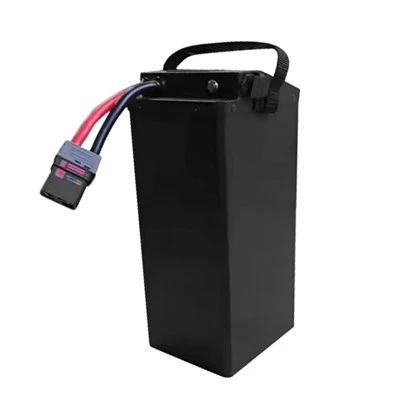
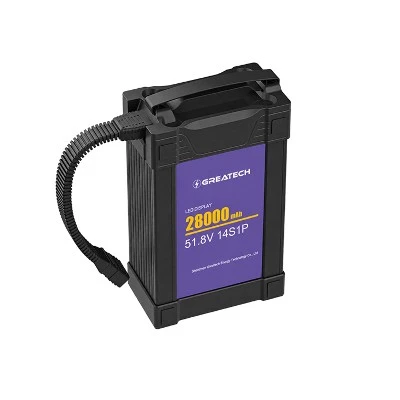
As a 6s battery supplier, we offer a wide range of high - quality 6s batteries suitable for various applications. In addition to iPhone 6s batteries, we also supply batteries for drones. Here are some of our popular drone battery products:
- 22.2V 30000mAh Drone Battery: This high - capacity battery is designed to provide long - flight times for drones. It offers a stable power supply and is built with high - quality cells for reliable performance.
- Lipo 22000mAh 6S Battery: Our LiPo (Lithium - Polymer) battery is lightweight and has a high energy density. It's suitable for drones that require a balance between power and weight.
- 22.2V 16000mAh Lipo Battery: This battery is a great option for smaller drones or those with less power - hungry components. It provides a reliable power source for a reasonable flight duration.
Contact Us for Procurement
If you're experiencing issues with your iPhone 6s battery heating up or if you're interested in purchasing our high - quality 6s batteries for your drones, we're here to help. Whether you're an individual user or a business looking to source batteries in bulk, we can provide you with the right solutions. Don't hesitate to reach out to us for more information and to start a procurement discussion.
References
- Apple Inc. iPhone 6s User Guide.
- Battery University: Understanding Lithium - Ion Batteries.
- Journal of Power Sources: Studies on Battery Heat Generation and Dissipation.