







Hey there! As a supplier of 60V batteries, I've seen my fair share of issues when it comes to these power packs not charging. It can be super frustrating, especially when you're counting on that battery to keep your device or vehicle running. But don't worry, I'm here to walk you through some troubleshooting steps to get your 60V battery back up and charging in no time.
1. Check the Charger
The first thing you should do is take a good look at the charger. Sometimes, the problem isn't with the battery at all, but with the charger itself.
- Inspect the Cord: Check the charger cord for any signs of damage, like cuts, frays, or exposed wires. If you find any issues, it's best to replace the cord or the entire charger. A damaged cord can prevent the proper flow of electricity to the battery.
- Test the Charger: Plug the charger into a different outlet to see if it's a problem with the power source. If the charger has an indicator light, make sure it's turning on. If the light doesn't come on, the charger might be faulty. You can also try using the charger with another compatible battery (if you have one) to confirm if it's working.
2. Examine the Battery Connections
Loose or dirty connections can also cause charging problems.
- Check the Terminals: Look at the battery terminals to see if they're clean and tightly connected. Over time, corrosion can build up on the terminals, which can interfere with the charging process. You can clean the terminals using a mixture of baking soda and water. Apply the solution with a brush, then rinse it off with clean water and dry the terminals thoroughly.
- Inspect the Connectors: Make sure the connectors between the battery and the charger are secure. Sometimes, they can become loose due to vibrations or rough handling. If the connectors seem loose, try tightening them gently.
3. Assess the Battery Temperature
Extreme temperatures can affect the charging performance of a battery.


- High Temperatures: If the battery is too hot, it might not charge properly. This can happen if the battery has been exposed to direct sunlight or if it's been used continuously for a long time. Let the battery cool down to room temperature before attempting to charge it again.
- Low Temperatures: Cold temperatures can also slow down the charging process or even prevent the battery from charging at all. If it's cold outside, try moving the battery to a warmer location.
4. Look for Battery Damage
Physical damage to the battery can cause charging issues.
- Check for Cracks or Leaks: Inspect the battery casing for any cracks, dents, or leaks. If you notice any damage, it's likely that the battery is no longer safe to use and should be replaced. A damaged battery can be a fire hazard and might not charge properly even if there are no visible signs of internal damage.
- Test the Battery Voltage: You can use a multimeter to check the voltage of the battery. A fully charged 60V battery should read close to 60 volts. If the voltage is significantly lower, it could indicate a problem with the battery cells.
5. Consider the Battery Age
Batteries have a limited lifespan, and as they get older, their charging performance can decline.
- Check the Usage Time: If the battery has been in use for a long time, it might be reaching the end of its life. Most batteries have a recommended number of charge cycles, and once they've reached that limit, they might not hold a charge as well as they used to.
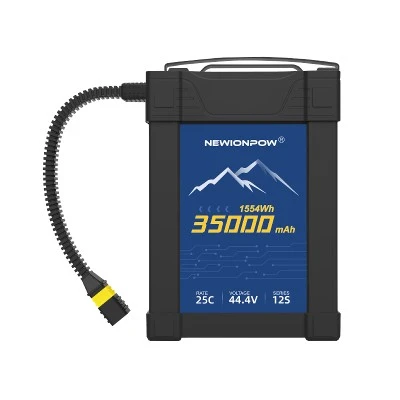
- Replace the Battery: If you've tried all the troubleshooting steps and the battery still won't charge, it might be time to replace it. We offer a range of high-quality 60V batteries, such as the 60V 20Ah Lithium Ion Power Battery, 60V 50Ah Lithium Ion Power Battery, and 60V 55Ah Lithium Ion Power Battery. These batteries are designed to provide reliable performance and long-lasting power.
6. Consult the Manufacturer's Manual
The manufacturer's manual can be a great resource for troubleshooting specific issues with your battery.
- Follow the Instructions: Look for the troubleshooting section in the manual and follow the steps provided. The manual might also have specific recommendations for charging and maintaining the battery.
- Contact Customer Support: If you're still having trouble after following the manual's instructions, you can contact the manufacturer's customer support. They can provide more detailed advice and assistance.
Conclusion
Troubleshooting a 60V battery that won't charge can be a bit of a process, but by following these steps, you should be able to identify and fix the problem. Remember, safety is always the top priority when dealing with batteries. If you're unsure about any of the steps or if you're dealing with a damaged battery, it's best to seek professional help.
If you're in the market for a new 60V battery or need more information about our products, feel free to reach out to us for a purchase negotiation. We're here to help you find the right battery solution for your needs.
References
- Battery charging and maintenance guides from various battery manufacturers.
- Electrical engineering textbooks on battery technology.


