





The iPhone 6s, a classic device that has served many users well over the years, often faces battery - related issues as it ages. As a 6s battery supplier, I've encountered numerous customers seeking guidance on determining whether their iPhone 6s battery needs replacement. In this blog post, I'll share some key indicators to help you make that assessment.
1. Battery Health Indicator in Settings
One of the simplest ways to check your iPhone 6s battery health is through the built - in Battery Health feature. Navigate to "Settings" > "Battery" > "Battery Health". Here, you'll find an estimate of your battery's maximum capacity and its peak performance capability.
If the maximum capacity is significantly below 80%, it's a strong sign that your battery is wearing out. For instance, if it shows 70% or lower, your iPhone may not hold a charge as long as it used to. The peak performance capability section will also inform you if there are any issues with the battery's ability to deliver power consistently. If it indicates that performance management is in effect, it means the battery can't handle sudden high - power demands, and a replacement might be necessary.
2. Rapid Battery Drain
Do you find that your iPhone 6s loses a large percentage of its battery charge in a short period? For example, if it goes from 100% to 50% within a couple of hours of light usage like checking emails and browsing social media, there's likely a problem with the battery.
Normal battery drain should be gradual and proportional to the amount of usage. If your phone is idle but still losing power rapidly, it could be due to a faulty battery. This kind of abnormal drain can disrupt your daily routine, as you'll constantly need to be near a charger.
3. Unexpected Shutdowns
Another tell - tale sign of a failing iPhone 6s battery is unexpected shutdowns. You might be in the middle of an important call, watching a video, or using an app, and suddenly your phone shuts off. This usually happens when the battery can't supply enough power to keep the device running.
Even if your phone shows a decent amount of battery charge, say 20% or 30%, these sudden shutdowns are a clear indication that the battery is struggling. It can be extremely frustrating, especially when you rely on your phone for work or communication.
4. Swollen Battery
Physically inspect your iPhone 6s for signs of a swollen battery. A swollen battery can cause the back of the phone to bulge or the edges to lift. You may also notice that the phone doesn't fit properly in its case anymore.
A swollen battery is a serious issue as it can damage other components inside the phone and even pose a safety risk. If you suspect a swollen battery, stop using the phone immediately and seek a battery replacement.
5. Long Charging Times
If it takes an unusually long time to charge your iPhone 6s, it could be a sign of a deteriorating battery. A healthy battery should charge relatively quickly, especially when using a proper charger.
For example, if it used to take an hour or two to charge from 0% to 100%, but now it takes four or more hours, the battery's charging efficiency has likely decreased. This can be a major inconvenience, especially if you're in a hurry and need a quick charge.
6. Overheating During Charging
When you charge your iPhone 6s, it's normal for it to get slightly warm. However, if it becomes extremely hot to the touch during charging, it's a red flag. Overheating can be a sign that the battery is having trouble accepting a charge properly.
Excessive heat can also damage the battery further and reduce its lifespan. If you experience this issue frequently, it's advisable to have the battery checked and potentially replaced.
7. Performance Degradation
A failing battery can also lead to overall performance degradation of your iPhone 6s. You may notice that apps take longer to open, the screen lags when you're scrolling, or the phone freezes more often.
This is because the battery can't provide the necessary power to run the phone's hardware and software efficiently. While some of these performance issues could be due to software glitches, if they coincide with other battery - related symptoms, it's likely a battery problem.
Our Battery Solutions
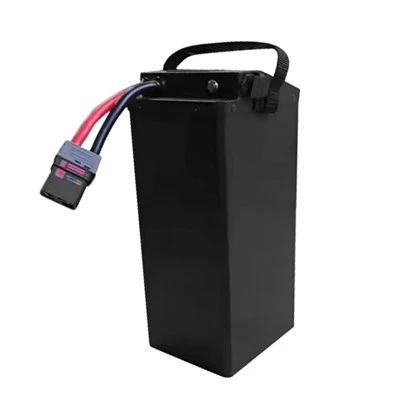
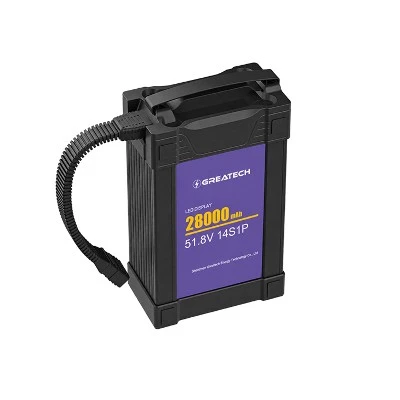
As a 6s battery supplier, we offer a range of high - quality batteries to meet your needs. For instance, we have the Lipo 22000mAh 6S Battery, which provides long - lasting power for your iPhone 6s. Our 22.2V 16000mAh Lipo Battery is also a great option, offering a good balance between capacity and size. And if you need even more power, our 22.2V 30000mAh Drone Battery is designed to keep your phone running for extended periods.
If you've noticed any of the above signs in your iPhone 6s, don't hesitate to consider a battery replacement. Our batteries are carefully tested to ensure they meet the highest standards of quality and performance.


Contact for Purchase and Consultation
If you're interested in purchasing a new battery for your iPhone 6s or have any questions about our products, feel free to reach out. We're here to assist you in finding the best battery solution for your device. Whether you're a regular user or a business looking to replace multiple batteries, we can provide the right products and support.
References
- Apple Support Documentation: Information on iPhone battery health and troubleshooting.
- Industry reports on smartphone battery performance and degradation.